


Menu
- About
- Ham Radio
- NL SwapShop
- NL SOTA Association
- 3D Models
- Linux
- Raspberry Pi
- Windows
- Software
- Photo Gallery
- Contact
- Search



Conky System Monitor

Conky is a system monitor that is shown constantly on the main desktop window. I find it neat especially on the laptop as it even gives the heat level of the mainboard and processor. To install it in ubuntu use the synaptic software installer or via the console sudo apt-get install conky. To run it properly you need to have a configuration file placed into your main home directory and the file has to be called .conkyrc
Create the .conkyrc file and copy and paste the following into it, the result when you run conky is shown in the image below.
Another basic conky design is shown further down the page. This design is specific to my machine but you can easily see what Ive
done and modify it to suit your needs. How I got temperature sensors for the hard drives and motherboard is through a program called
sensors. You have to install and set that up. If you would like that there is a quick guide in the top of the file
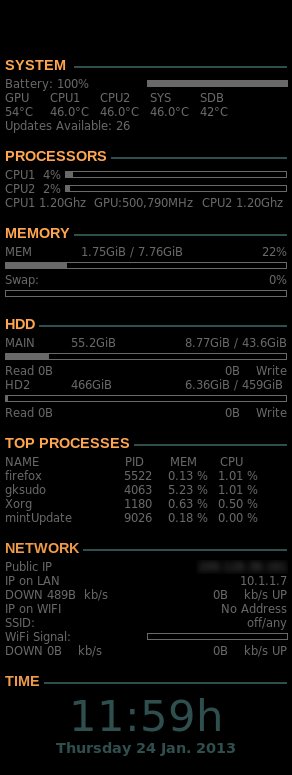
A basic conky is below, not as detailed but not as hard on the system either
Feel free to modify that file but I find it gives me enough information about my system. Below is a picture of the output of the above configuration file
